For a short daytime nap, rain can be an optional background. Set two things separately: when the audio should stop and when you need to get up. RainSleep’s sleep timer stops playback; it is not a wake-up alarm.
Prepare the sound before lying down, then leave the settings alone. If the room already feels comfortable in quiet, you can skip the audio.
Start with your available break, not a promised amount of sleep
Nap tools such as Stillsea’s nap timer combine background rain with a separate wake-up bell. That real use case raises a useful question for RainSleep: which control ends the sound, and which one brings you back to your day?
A 20-minute break includes settling down and getting up. It does not mean 20 minutes asleep. RainSleep does not detect sleep onset or add a falling-asleep buffer. Set a separate alarm for your return time, allowing time to wake before your next task.
| What you want to control | What to use |
|---|---|
| The end of the rain audio | RainSleep’s playback timer |
| A reminder to get up | A separate alarm you have checked on your device |
| How long you actually sleep | Neither control measures this |
Choose one rain sound before you rest
Try Gentle Rain for Relaxation while you are still awake. Its published file is 2:08:32 with no verified thunder. The player can repeat the file, so its length is not your nap endpoint or a guarantee of uninterrupted playback.
Keep the sound low and comfortable, with important alarms and other cues audible. There is no universal phone-volume percentage for every speaker and room. If the drops keep drawing your attention, lower the level or stop rather than adding more layers.
Prepare a short session in the Mixer
- Add one track. Open the Mixer and add the rain recording. Manually adding a sound does not start it. If the rain beneath this article’s title is playing, select “Stop” before setting up your mix.
- Start and balance it. Select “Play All”, then adjust the layer and master levels. Check your separate alarm with the same output setup before you lie down; RainSleep does not coordinate that alarm.
- Choose an audio endpoint. In “Sleep Timer”, choose a duration that fits your available break. The Mixer offers 15, 30, 45, 60, 90 and 120 minutes; it has no 20-minute preset. A 15-minute selection counts from when you set it, including time spent awake. The mix fades during the final 30 seconds, then stops its playing layers.
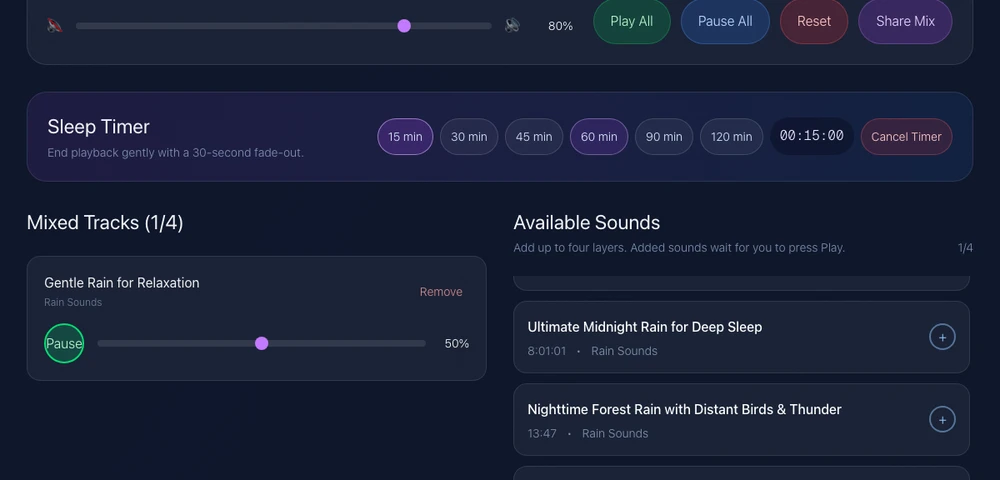
Actual RainSleep screenshot, shown in English. Open the linked Mixer for localized controls. The displayed levels are not listening recommendations.
For a 20-minute break, you might let a 15-minute audio session finish before your separate return alarm. This is a setup example, not an ideal nap prescription. Use “Pause All” to end the sound sooner; “Cancel Timer” removes the timer rather than serving as an alarm. See the Mixer guide for saved-mix behavior.
Keep the setup easy to leave alone
Put the speaker or phone on a stable surface, away from pillows and bedding. Choose an output that suits the room and anyone sharing it; the speaker and headphones guide covers those choices.
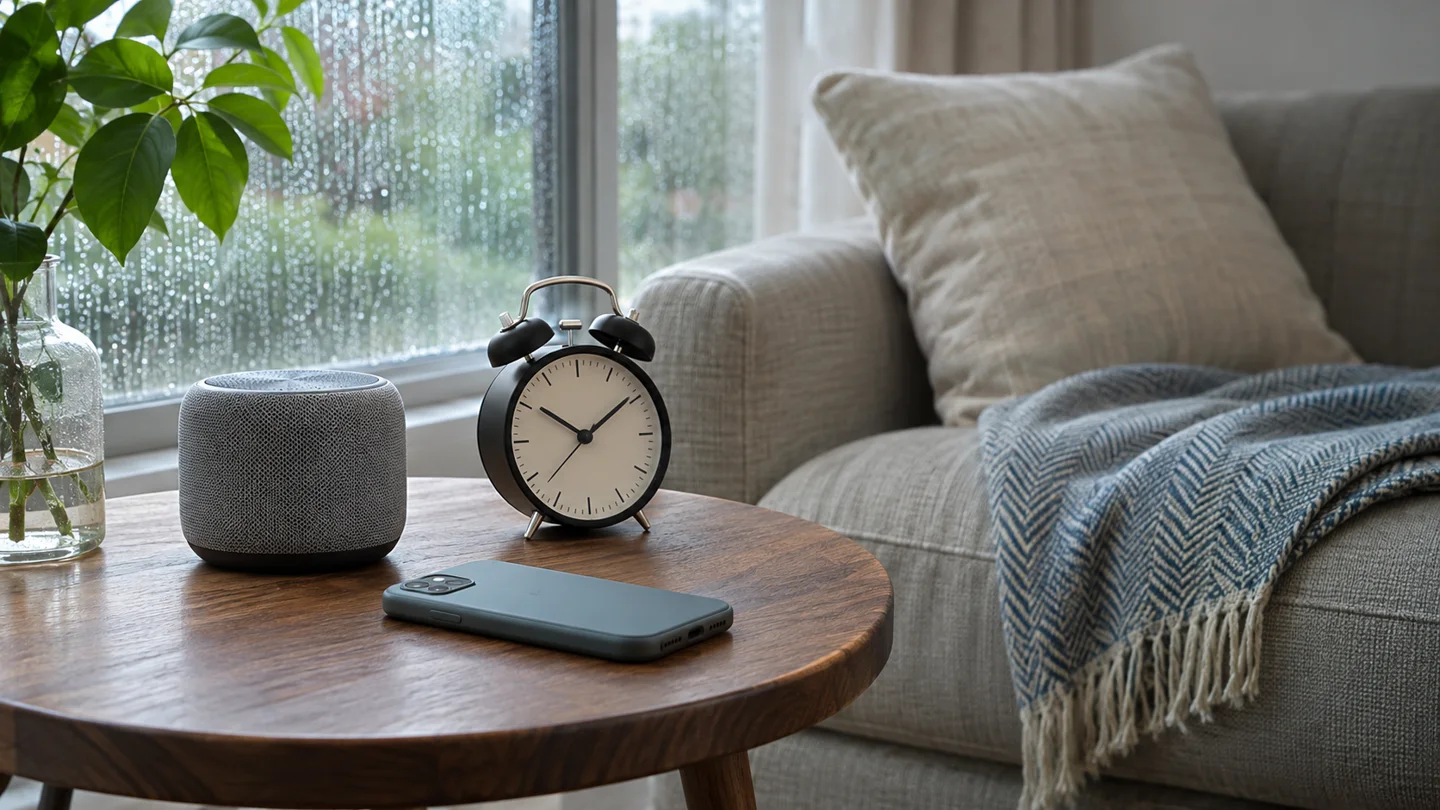
AI-generated setup illustration: the audio endpoint and wake-up reminder have separate jobs.
A website depends on the browser, device and connection. This guide does not guarantee locked-screen playback, offline audio or reliable wake-up signaling. Saving a mix stores its selections, not downloaded rain. Do not use the article’s background player as a nap alarm.
Allow time to wake, and change the plan if it does not suit you
Mayo Clinic’s adult nap guidance suggests short naps, generally 20–30 minutes, and notes that timing and individual circumstances matter. It also advises allowing time to wake before returning to activities. That guidance does not establish that rain improves a nap.
If naps make your nights harder or leave you feeling worse, reconsider the routine. If your need for naps increases unexpectedly or daytime sleepiness persists, discuss it with a healthcare professional. Rain audio is an optional setting for rest, not treatment.
Sources and scope
Stillsea’s nap guide supplied the sound-plus-wake-up use case. Tom’s Guide’s practical nap article informed the environment-and-steps structure; Softly’s napping page is another real sound-for-naps reference. Their health, timing and player claims are not RainSleep features or results. The steps above follow RainSleep’s actual Mixer; no personal nap experiment or sleep benefit is claimed.