If your rain sounds keep stopping, first notice when the sound ends. A gradual fade at a chosen time points to a timer. Silence after reopening a saved mix may simply mean playback is paused. Audio that cuts out only after locking your phone needs a different check from a track that never starts.
Start with the table below, then follow the matching section. Keep the same track and listening level while you test; otherwise it becomes hard to tell which change helped.
Match the symptom before changing settings
| What you notice | First thing to check |
|---|---|
| No sound after adding or restoring Mixer tracks | Press the playback control; loading a mix is not the same as starting it. |
| The mix fades, then stops near a chosen time | Look for an active sleep timer. |
| The interruption seems tied to the end of a file | Compare the displayed duration and the player you are using. |
| Rain pauses when you start another RainSleep tool | Check whether the new player has taken over. |
| A loading indicator or error appears | Check the connection and retry after it recovers. |
| Audio stops only with the screen locked | Compare a short awake session with a short locked-screen session on that device. |
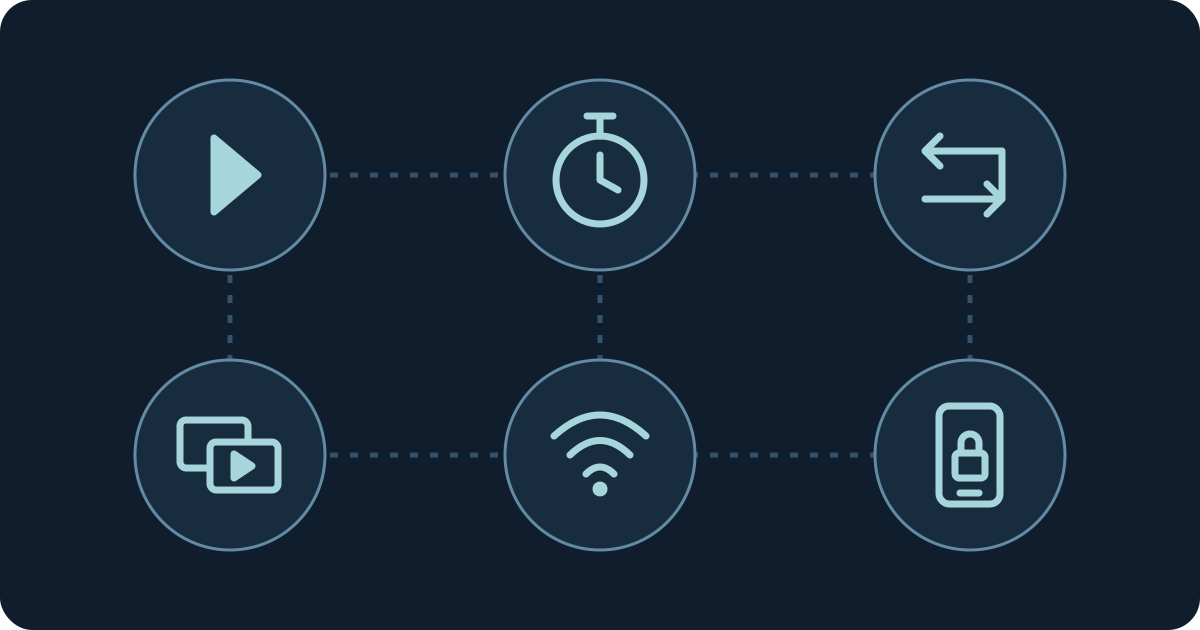
A conceptual checklist, not a device diagnosis or a measured reliability result.
1. Make sure playback actually started
In the RainSleep Mixer, manually adding a sound does not start it. Press Play All after adding your tracks. A normal return visit restores your local draft paused; loading a named mix or opening a shared mix also waits for you to play. A preset is different: choosing one replaces the active mix and starts playback.
This distinction explains a common surprise: the tracks and their volume settings are visible, but there is no sound. You do not need to rebuild the mix. Start playback, then check the device volume and whether the player is muted.
Browsers also restrict sound that tries to start automatically. Chrome's autoplay documentation describes user interaction as one condition that can allow audible playback. WebKit's macOS autoplay guidance likewise tells websites to expect a click before playing audio. These are startup policies; they do not diagnose every interruption after playback begins.
2. Check both kinds of sleep timer
The Mixer offers 15, 30, 45, 60, 90, and 120-minute timers. An active timer shows a countdown, and the playing mix fades during the final 30 seconds. If the countdown is still active, choose Cancel Timer. If the timer has already ended, press Play All to restart. For the full setup, see the custom rain mix guide.
Sound-page players also have a sleep-timer control. That timer stops the currently playing audio when it ends, and changing tracks keeps it. This listening-session timer can also stop a later Mixer session; the Mixer's own timer is separate. Open that player's timer panel to inspect or cancel it. Do not assume that switching to another rain file removed a timer you set earlier.
A timer and a track duration answer different questions: the timer is the stop time you chose; the duration describes the file. Check the countdown before treating a predictable stop as a connection problem.
3. Separate file length from repeat behavior
The title of a rain sound is not a promise that your phone will keep playing for that long. For example, the published file for Gentle Rain for Relaxation is 2:08:32, while Ultimate Midnight Rain is 8:01:01. Those are file lengths, not device uptime guarantees.
The current sound-page player and Mixer repeat their selected files. Reaching the displayed duration therefore does not normally mean that these players are supposed to stop permanently. Repetition also does not certify an inaudible join. If you notice a pause or repeated detail near a boundary, record the file and approximate playback position instead of assuming that every rain track behaves the same way.
Other playback contexts, including a home-page queue, can have different end-of-track behavior. Note which page and control you used. A longer file can move the first repeat boundary later; it cannot fix a network loss, an active timer, or a phone suspending playback.
4. Check whether another player took over
Starting a different RainSleep playback tool can pause the earlier player. For example, moving from a rain track to a playing Mixer session changes which audio source is active. This prevents separate tools from unexpectedly playing over each other.
For a clean check, use one RainSleep tab and one player. Start one rain track, leave other sound tools paused, and see whether the same interruption occurs. If the sound stops immediately after you press play elsewhere, return to the player you want and start it again.
If you want several sounds together, combine them in the Mixer rather than starting independent pages. The Mixer guide explains the four-layer limit, individual levels, and master volume.
5. Treat loading failures as connection checks
If the player shows a loading state or an error, first confirm that your connection is working. Try the same track again after the connection recovers. If possible, compare your usual Wi-Fi with another connection, keeping the track unchanged; mobile data may incur charges under your plan.
Saving a Mixer draft or a named mix stores its selections locally. It does not download the audio for offline listening. Seeing your saved track names after reopening the site is therefore not evidence that the files are available without a connection.
Avoid clearing browser storage as a first step: it removes RainSleep's local drafts and named mixes. If you want to compare a fresh browser session, use a separate private window with one public rain track and keep your original session intact. A private-window comparison changes storage and extension conditions too, so a different result is a clue rather than a proven cause.
6. Isolate screen-lock and device behavior
If the same track plays while the page is visible but stops after the screen locks, note the phone model, operating-system version, browser version, connection, and whether you used a Bluetooth output. Repeat a short comparison while you are awake, changing only the screen state. Keep alarms and other important cues available.
On Android, check the guidance for your specific device. Google's Android battery documentation says Battery Saver can limit background activity and delay network connections or apps. That makes the current battery mode a useful thing to record; it does not prove that battery saving caused your interruption or justify disabling every restriction.
For iPhone and other devices, use the browser and device's current support guidance rather than copying settings written for a different app. A native app's background settings are not automatically a solution for a website. RainSleep does not guarantee uninterrupted locked-screen or overnight playback on every phone. A successful short comparison only describes that test.
What to record if the sound still stops
Keep a small note with the page URL, track name, approximate elapsed time, timer state, visible player message, and whether the screen was locked. Add the browser and device details from the previous section. Record whether the result repeats with one track in one tab.
Those details distinguish “stops at the timer deadline” from “fails to load” and “stops only on this locked device.” You can then repeat the relevant check without rebuilding every setting. If the issue is the listening output rather than playback itself, the speaker and headphones guide offers a separate comfort and awareness checklist.
Quick questions
Does saving a mix keep it playing offline?
No. A saved mix keeps the selected sounds and levels in that browser on that device. It is not an audio download, and restored mixes wait for playback to start.
Will an eight-hour rain file solve every interruption?
No. File length does not override a sleep timer, another player taking over, a loading error, or operating-system behavior. Use the symptom table first.
Should I change every battery and browser setting at once?
Change one condition at a time and keep a note of the result. Prefer a short comparison while awake, so you can see what the player actually does when the sound stops.